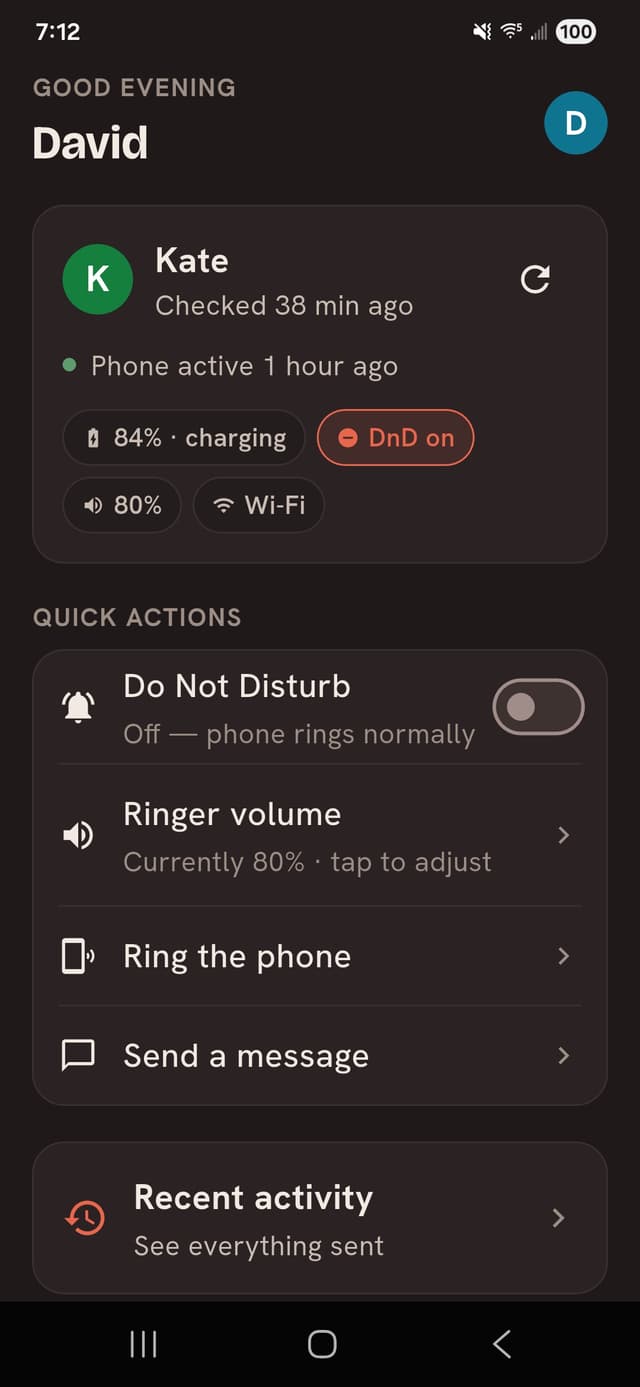
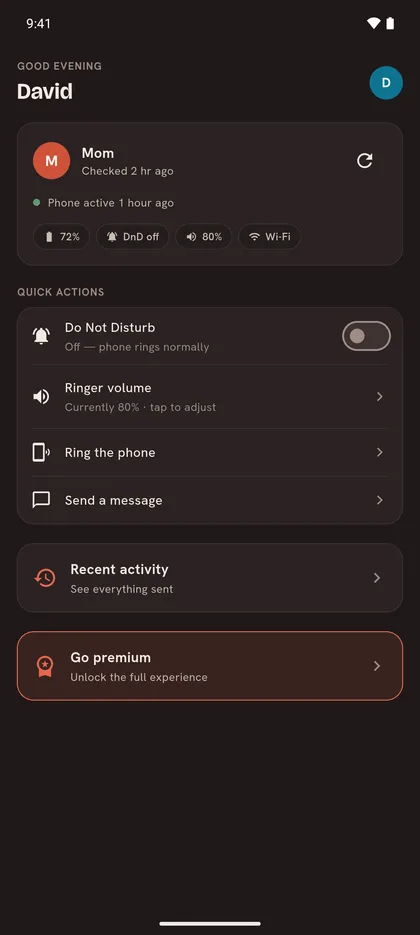
Fix a silenced ringer, turn off a stuck Do Not Disturb, make a lost phone ring — from your own phone, wherever you are. Your parent approves everything up front, sees every change, and can undo any of it.
10-day free trial at launch · $8.99/month after · Companion app free forever · Cancel anytime
First
Every family knows the call: "my phone stopped ringing." The fix is usually thirty seconds of settings — if you're in the room. Parental Guidance closes that gap with a deliberately split design. The Helper app on your phone is just a remote. All the real permissions live on your parent's phone — granted by them in person, visible to them always, revocable by them at any time. It doesn't monitor them and can't take over their phone — it handles a short list of specific fixes for the problems that come up most often.
On your phone
Sends a handful of signed requests — fix the ringer, turn off Do Not Disturb, make their phone ring, send them a note — and shows you their phone's basic status. It holds no power of its own and keeps a full history of everything you've done.

On your parent's phone
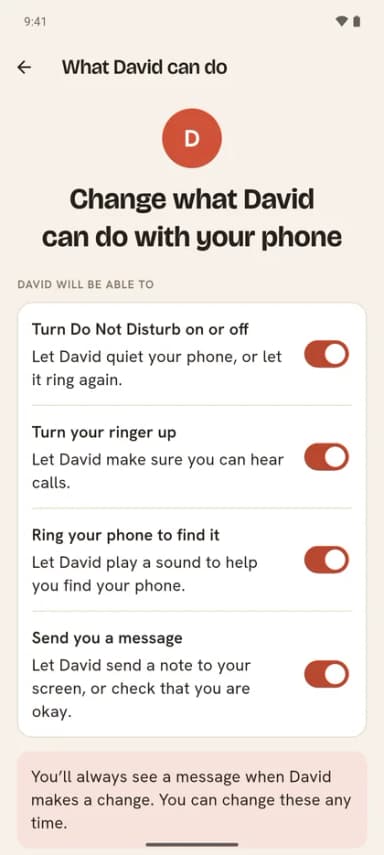
Holds every permission your parent chooses to grant, verifies each request really came from an approved helper, shows a plain-language notification for every change — with a one-tap Undo on anything reversible — and lets your parent review the full log or revoke access, on their own, anytime.

First-time pairing happens face to face, on purpose — a remote-setup path is exactly what phone scammers would use, so we don't have one.
You generate a short-lived code; your parent enters it on their phone. It expires in minutes and works once.
Each capability is spelled out in plain language and granted one by one. They can change their mind later.
Send the fix from your phone; it's applied on theirs in seconds. No more hour on speakerphone describing which icon to tap.
Every change triggers an immediate notification with your name on it, and anything reversible carries an Undo button. If they undo, your next change of that kind needs their OK first.
Every safeguard here is enforced by the apps themselves. There's no setting that turns it off.
There is no remote-setup path. Your parent taps “yes” on their own phone, capability by capability, with you in the room.
Every change appears on their phone the moment it happens, in plain language, with the helper's name on it. There is no quiet mode.
One tap reverses any setting change. An undo also means your next change of that kind asks their permission first.
Your parent can review the full history and remove any permission, or all access, whenever they want. They don't need your help to do it.
That's why we're launching on Android first — it's where the full product is possible today.
Android allows our Companion app to change these settings directly, so you can fix things without your parent lifting a finger.
Apple doesn't allow any third-party app to change another iPhone's settings remotely — no app can, including ours. On iPhone, Parental Guidance will be a coaching tool, not a remote control.
after a 10-day free trial · cancel anytime
forever, for your parent
No fees or ads, ever. Your parent's app is where the permissions, the notifications, and the undo button live — charging them for their own safety rails never sat right with us.
We're opening Android early access in small waves. Leave your email and we'll write when your spot opens. That's the only thing we'll send.